Open firmware for the Yealink SIP-T48S desk phone. It replaces Yealink’s firmware with Linux 6.18, drivers written for the phone’s Broadcom BCM11188, and a SIP phone with apps. It is tried and installed from a USB stick at the phone’s own screen, and the same screen puts Yealink’s firmware back.
- M0LTE/yealink-t48s: the firmware.
- The guide: try it, install it, go back.
- M0LTE/yealink-t48s-apps: apps, and how to write one.
- The story so far: a post on how it got here.
What it does
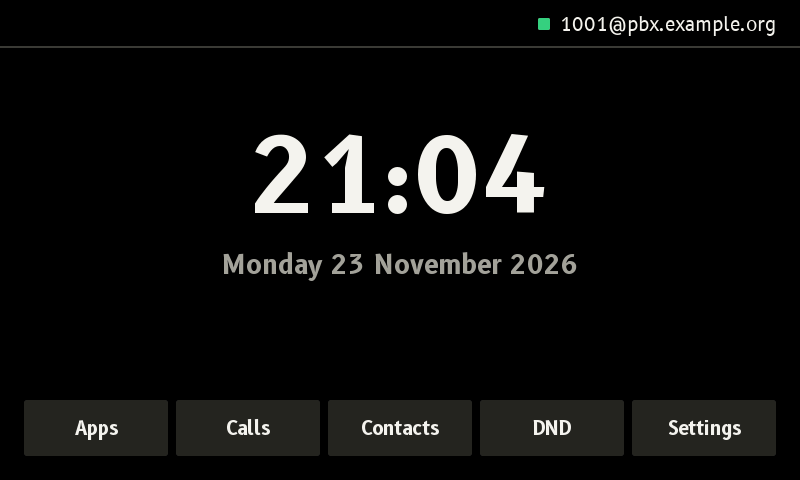
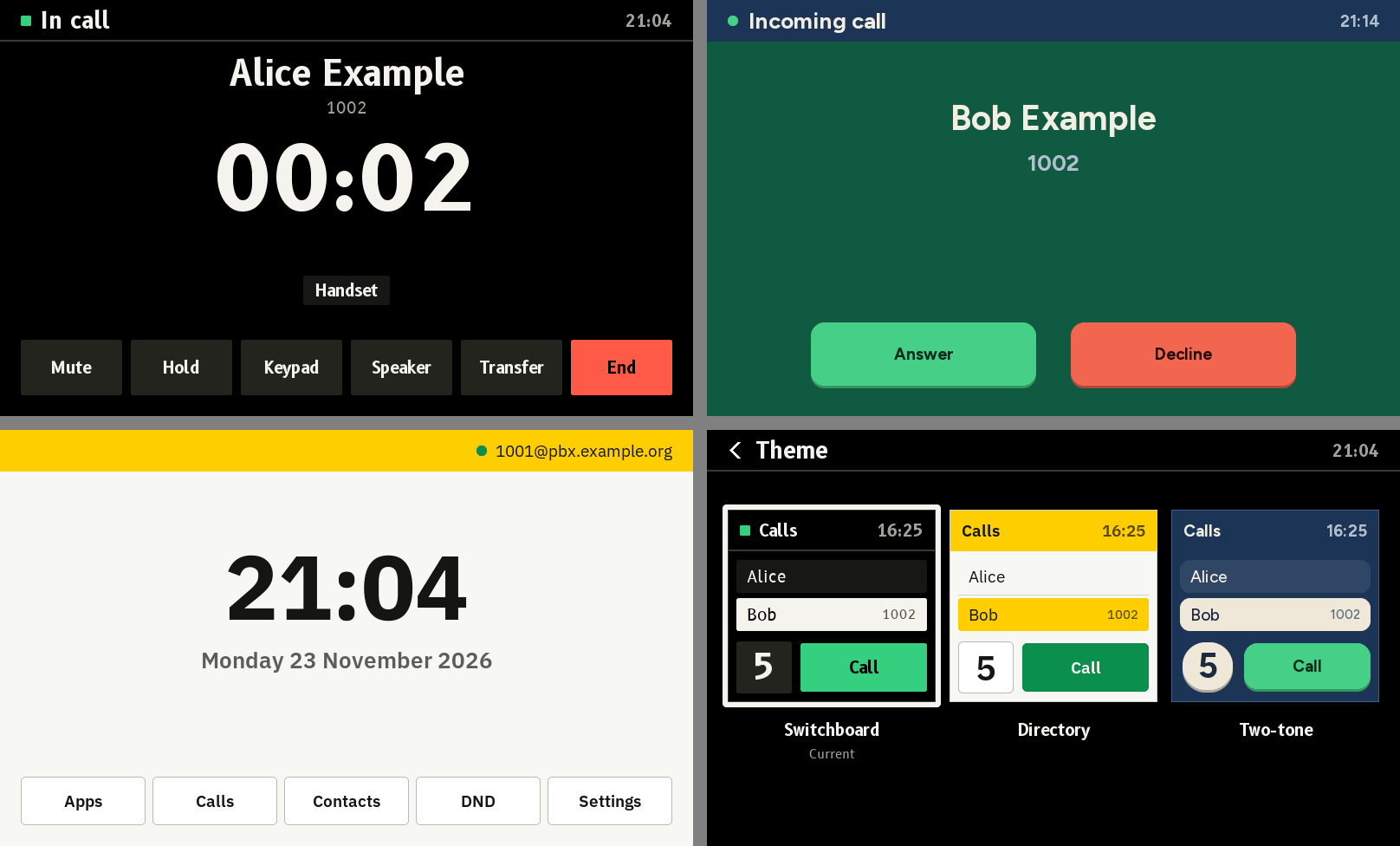
- Calls over baresip: up to six SIP accounts, contacts, call history, hold, mute, transfer, a second call, do not disturb and a voicemail lamp. Handset and loudspeaker.
- Apps, installed from a feed at the screen. So far: a receive waterfall for a pdn-soundmodem station, a LinBPQ node’s links at a glance, and a hello app to copy. There is an SDK with a PC simulator.
- Web setup: a page served by the phone for accounts, contacts, network, sound and backup. Off until you turn it on at the screen, and a browser pairs with a code the screen shows.
- Three themes for the screen and the web page.
- SSH, off until you turn it on.
- Updates from the screen, into a second system slot. A bad update falls back by itself.
Status
A hobby project. It is installed and working on my own T48S, and has not yet been proven on anyone else’s. Install it only on a phone you do not depend on.
A build for the T46S (the same chip, a smaller screen, no touch) exists and has never been started on one. A T46S owner willing to test would be welcome: see the test plan.
Trying it
You need a T48S on any Yealink firmware, a FAT32 USB stick, and a 5 V power supply of 1.5 A or more. Yealink’s own adapter is 0.6 A, which is too little to run the phone and a stick: it freezes.
- Put the firmware’s files on the stick.
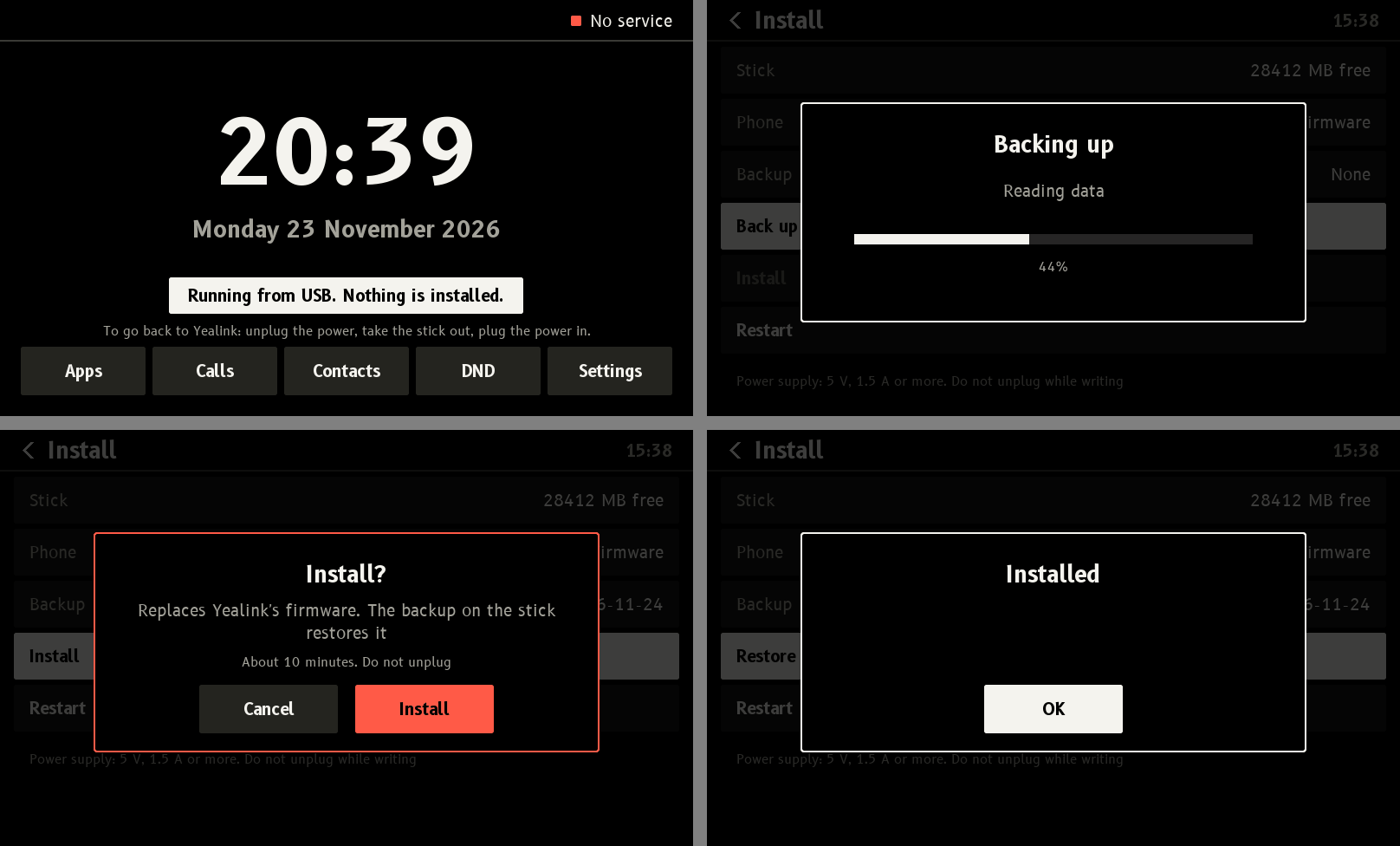
- Hold Speakerphone while plugging the power in, then press 2. The firmware runs from the stick and nothing is written to the phone.
- To keep it, Settings, Install. It backs the whole phone up to the stick first, and Restore on the same page puts Yealink’s firmware back.
Those are the bare bones. The guide has every step and what to do when something goes wrong.
Licence
AGPL-3.0-or-later, except the kernel drivers, which are GPL-2.0 because the kernel is. None of Yealink’s code is in the repository.