There was a scrap Yealink SIP-T48S on my desk: an office SIP phone with a 7 inch 800x480 touchscreen, a handset, a loudspeaker, two Ethernet ports and a USB socket. Inside is a Broadcom BCM11188, an ARMv6 chip with 128 MB of RAM and 128 MB of flash, running Yealink’s build of Linux 2.6.27.
It now runs open firmware instead: a current Linux kernel, a phone that makes calls, apps, and a setup page for a browser. It installs from a USB stick at the phone’s own screen, and the same screen puts Yealink’s firmware back.
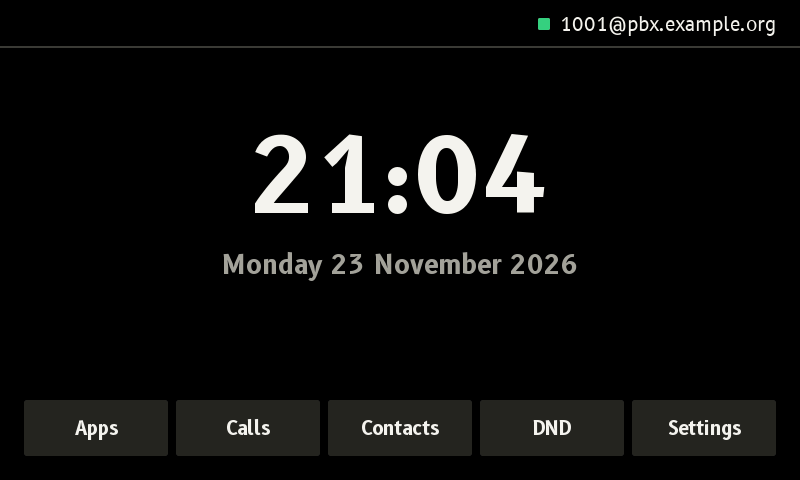
This is a hobby project and it has only ever run on my one phone. The code is at M0LTE/yealink-t48s, and there is a project page with the short version.
Getting in
The phone arrived on firmware 66.86. Older firmware had a hole in its web page: the ping test passed whatever you typed to a shell, as root. Yealink fixed that in 66.84, but the web page still accepts older firmware as an upgrade. So the way in was to downgrade twice, to 66.82, and type a command after the address in the ping box. That gave a root shell over the network with no tools and nothing opened.
Next came a serial console. There is a 3-pin header on the board, 3.3 V at 115200 baud. Yealink’s boot loader and kernel print on it and ignore anything typed, but the hardware works both ways, so a kernel of our own would get a proper console.
Our own kernel
Nothing in the boot chain checks a signature. The boot loader, U-Boot, wants a checksum on the kernel and that is all. It also has a recovery mode: hold Speakerphone while plugging the power in, and it offers to load a kernel and a small filesystem from a TFTP server or a USB stick and run them from RAM, writing nothing.
The first kernel was Linux 3.6.11, from 2012. That was the last release with Broadcom’s support code for this chip family, which mainline deleted in 3.7. It booted to a shell on the serial port through recovery mode. To save holding a key down for every test, a small kernel module then let Yealink’s running system jump straight into our kernel, with the watchdog as the way back.
Yealink has not published a kernel source for this phone, so the drivers were worked out from the phone itself: its registers, its boot loader and the modules in its firmware. Roughly in the order they arrived:
- Ethernet, through the chip’s built-in switch.
- The screen, first as a text console.
- Keys and the hook switch, which sit behind a small Holtek microcontroller that also runs a watchdog.
- The touchscreen, with the factory calibration.
- Lamps and the backlight.
- Flash, read-only at first and compared byte for byte with what Yealink’s kernel reads.
- Audio, of which more below.
- USB, last, which sat on a different interrupt line from the one we first listened on.
Then the whole lot moved to Linux 6.18, the current long-term kernel. A modern kernel knows nothing about this chip, so the hardware is described in a device tree written for it, and the standard ARM parts (interrupt controllers, timers, serial ports) are run by the kernel’s own drivers. It had to fit a 2.5 MB slot in flash, and does with a little to spare.
A phone
With sound working, it could be a phone again. Calls are handled by baresip, with up to six SIP accounts. Around it are a dialler, call screens, contacts, call history, hold, mute, transfer and do not disturb, and the hook switch and the phone’s own keys do what you would expect of them.
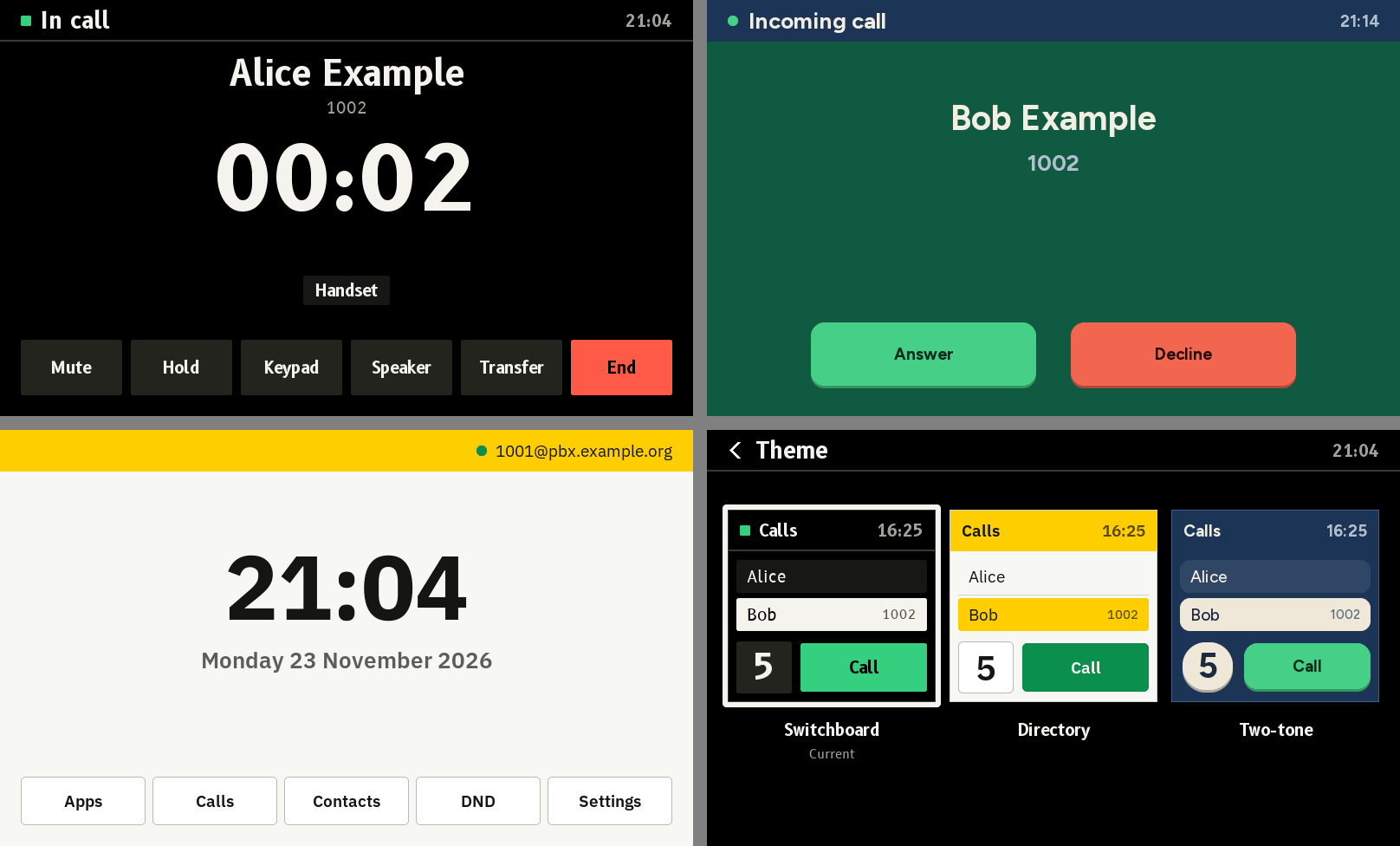
There are three themes. Switchboard, the default, is black to the edge so that the screen runs into the phone’s bezel.
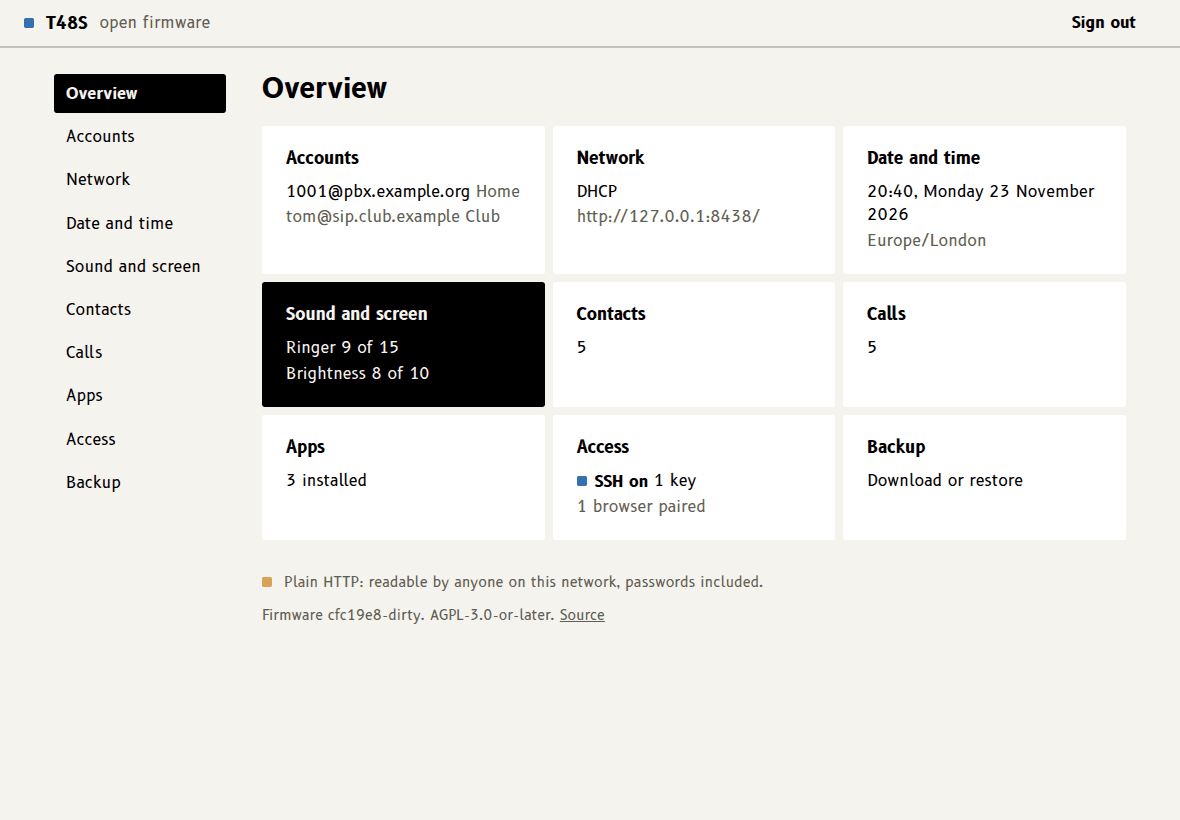
Typing a SIP password on a phone keypad is slow, so the phone can serve a setup page to a browser on the same network. It is off until you turn it on at the screen, and a browser pairs with a code the screen shows. SSH is the same: off until the owner turns it on.
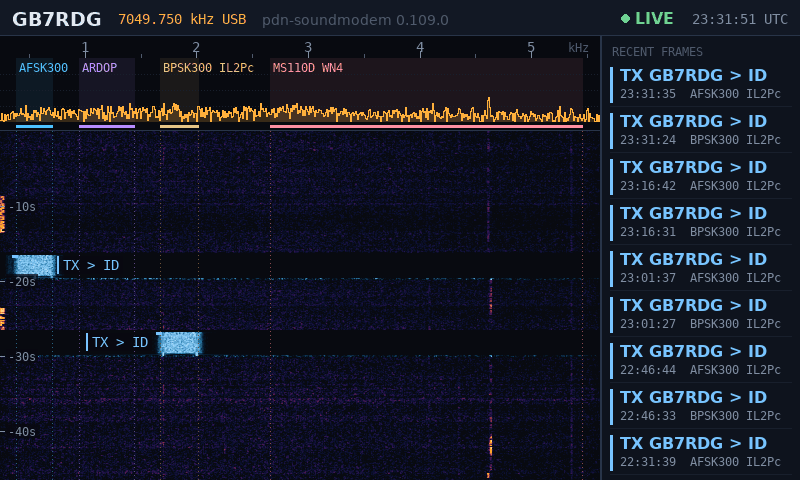
Apps are separate programs that the phone installs from a feed, and there is an SDK with a simulator for writing them on a PC. The ones so far are in M0LTE/yealink-t48s-apps. This is the receive waterfall of my packet node GB7RDG, from pdn-soundmodem, on the phone’s screen:
Three things found on the way
The power supply is too small. Two different USB sticks froze the boot loader at the same line, with no error. Its USB code, run in an emulator against the answers one of those sticks really gives, read the stick without trouble, so it was not the stick or the files. Separately, a loud ring would freeze the whole phone until the watchdog reset it 30 seconds later. Both had one cause. Yealink’s adapter is rated 5 V at 0.6 A. On a bench supply the phone draws 0.8 A while Yealink’s own firmware boots and 0.65 A when it is idle, and ours peaked at 0.89 A with the screen, lamps, processor and ringer all flat out. With a bigger supply the sticks work and the freezes stopped. If you try this, use a 5 V supply of 1.5 A or more.
The voice DSP is not needed. The chip has a DSP that runs a proprietary image for codecs, echo cancelling and tones, and the open question was whether there could be any sound without it. There can. The audio converters belong to the main processor, which moves the samples itself; the DSP only sees them afterwards. So our driver talks to the converters directly, baresip does the codecs, and none of Yealink’s audio code is involved.
Recovery mode will start anything. Before it boots from a stick, U-Boot checks a ROM file. The check is a checksum and some model and version fields in a 128-byte header, with no signature, and two flags in that header switch the model, version and reseller checks off. So the stick carries a small label we made ourselves, with none of Yealink’s code in it, and the phone accepts it.
Installing it
Starting from a stick writes nothing, so you can try the firmware and unplug to get Yealink back. To keep it, Settings has an Install page.
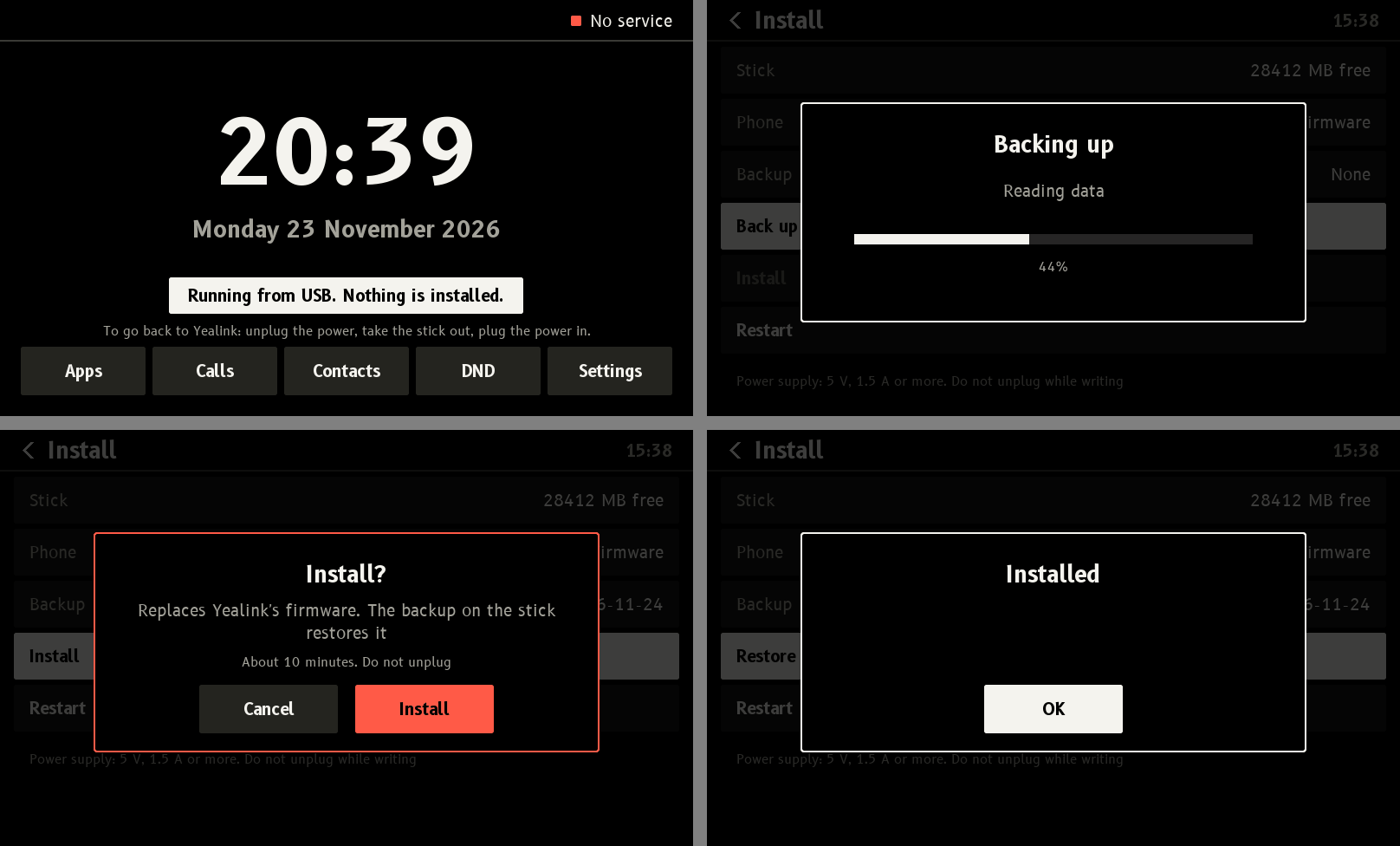
It first copies the phone’s whole flash to the stick, 138 MB, and checks the copy. Install stays greyed out until that is done. Then it writes the kernel and the system, about ten minutes each for the backup and the install. Restore, on the same page, puts the backup back, and the flash is then byte for byte what it was. On my phone I have been round the loop: restored Yealink’s firmware from the stick, then backed up, installed and restarted, all from the phone’s screen.
Recovery mode lives in the boot loader, which is never written, so the stick still starts whatever else is in the flash.
Where it stands
It works on one phone. Nobody else has installed it yet, so treat it as something to try on a phone you do not depend on. A phone whose flash has a worn block where the firmware goes is refused for now.
The T46S is the T48S’s smaller sibling: the same chip, a smaller screen and no touch. A build for it exists, worked out from code the two models share, and it has never been started on one. If you have a T46S you can spare, the test plan says what to do.
To try it on a T48S, the guide has every step, the way back, and what the messages on the screen mean. Everything is AGPL-3.0-or-later, except the kernel drivers, which are GPL-2.0 as the kernel requires.
Two earlier pieces of work on these phones are worth reading: Stefan Gloor’s Hacking a VoIP Phone, and Synacktiv’s yealink_tools.