Packet BBS mail still mostly means a terminal and typed commands: L to list, R 1234 to read, SP and a hierarchical address to send. That works, but it isn’t how most of us read mail any more, and it’s hard to do on a phone.
Packet Mail is a mail app for packet BBSes. You add your BBS the way you’d add an email account, and your personal mail and bulletins turn up in an inbox, with an outbox, sent items, a bulletins browser and an address book. It’s now on the App Store for iPhone.

Reading
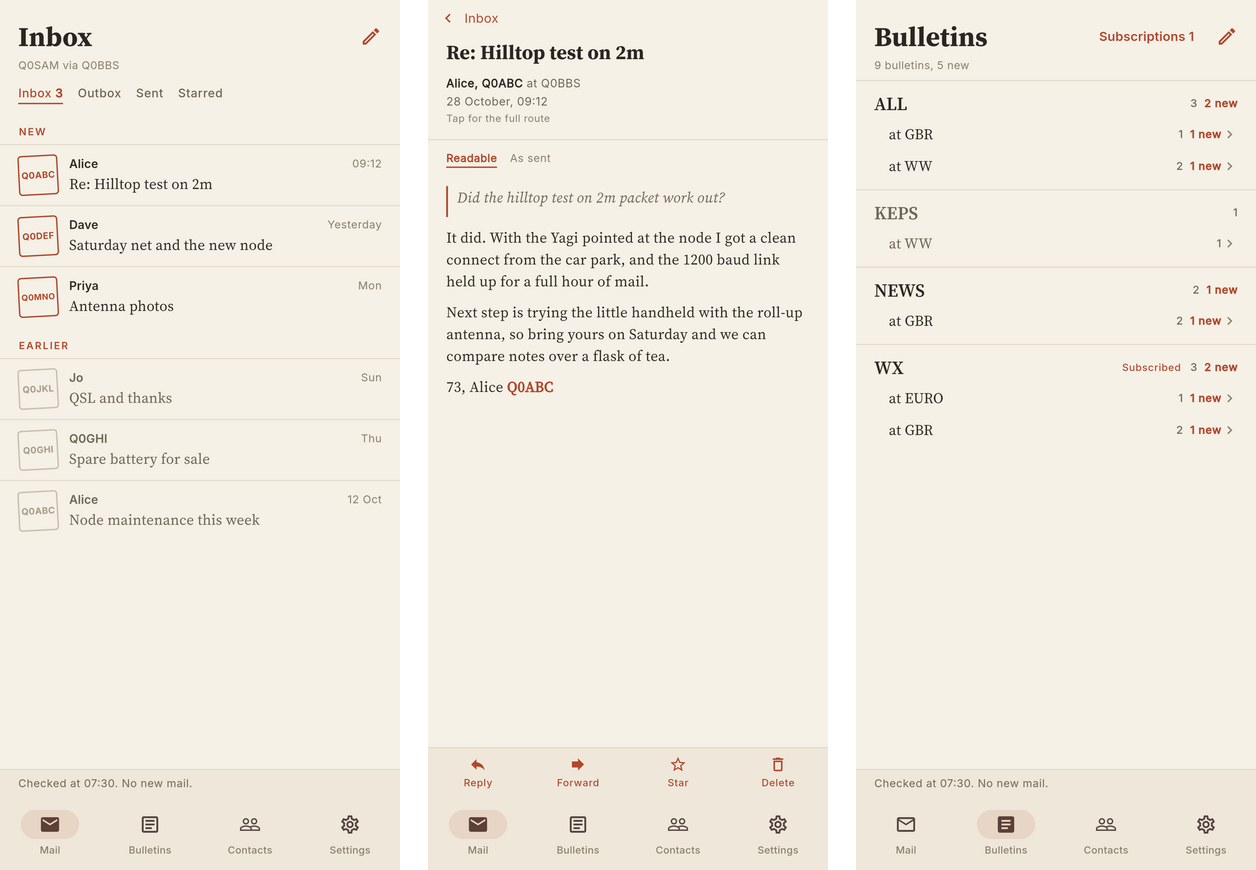
- Inbox, Outbox and Sent. New mail is fetched when you open the app or pull down to refresh. Open a message and it’s marked read on the BBS; delete it and it’s killed there too.
- Readable or as sent. Messages show in a comfortable reflowed view, or exactly as sent in a fixed-width font, for the tables and ASCII art that some bulletins rely on.
- Bulletins are grouped by category and area (
WX@GBR,KEPS@WWand so on). Subscribe to the categories you care about and they download at each sync.
Writing
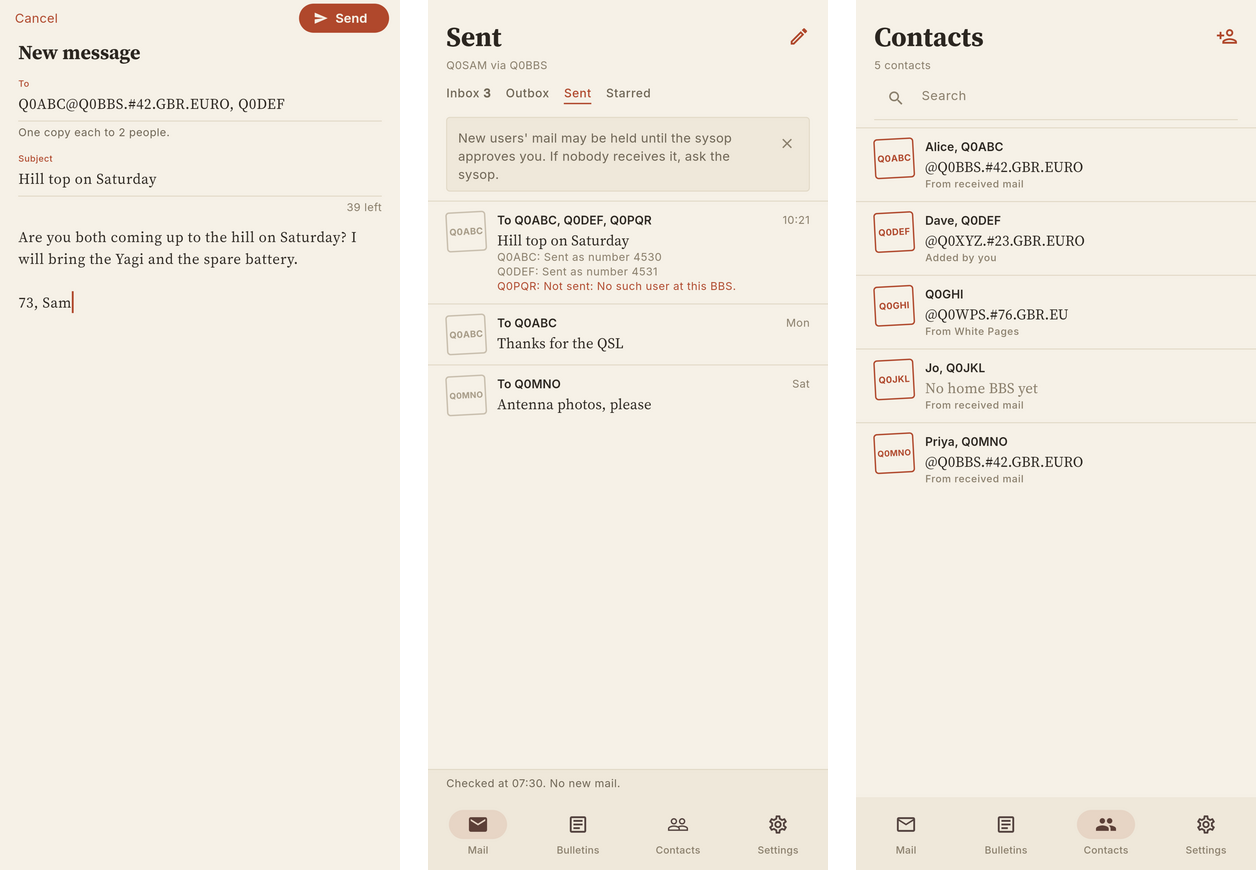
- Addresses are checked as you type. Full hierarchical addresses like
G1ABC@GB7XYZ.#42.GBR.EUROare validated, and a bare callsign gets its home BBS looked up in White Pages before sending. - Several recipients at once. The app sends one copy to each, and Sent shows how each one got on, including the BBS’s own forwarding status.
- The address book fills itself in from the mail you receive and from White Pages.
- Text is converted to plain ASCII and wrapped, so what you send looks right on every BBS and terminal along the way.
What it works with
Packet Mail talks to LinBPQ’s BPQMail over its telnet or FBB port, and to the mailbox in an XRouter node over telnet. It connects over the internet or your home network; when you’re away from home, a VPN such as Tailscale gets you back to your BBS. The app doesn’t need a radio and never transmits anything itself: your BBS does that, as it always has.
There’s a demo BBS if you want to try it before pointing it at your own: tap Try the demo on the first screen.
It’s free, collects no data, and is open source under the Mozilla Public License 2.0.
iPad and Android
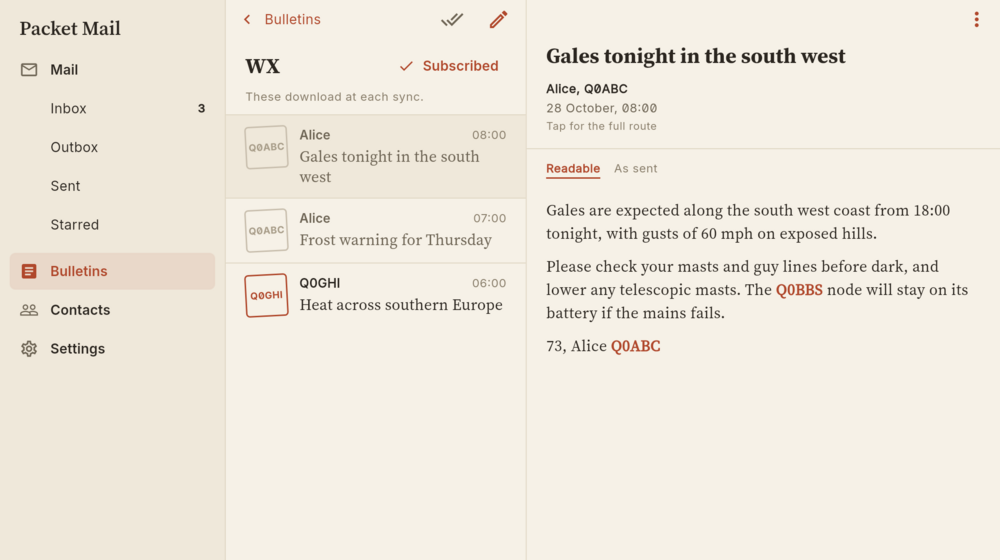
iPad support is coming shortly. It’s built and in testing, with a three-column layout that shows the folders, the list and an open message side by side.
Android is ready too, and you can install it today from the latest APK on GitHub. Google won’t let a new app into the Play Store until it has been through a testing period with a minimum number of testers, so I’m looking for Android users to sign up. If you’d like to help, email app-support@tomfanning.name with the Google account you use on your phone, and I’ll add you. I’ll start the Play Store release process as soon as there are enough testers.
Links
- Info page: packet-mail.m0lte.uk
- iPhone: Packet Mail on the App Store
- Android: latest APK
- Source and issues: M0LTE/packet-mail
Problems and ideas are welcome, either as a GitHub issue or with Report a problem in the app’s settings.